Linear Adds Coding Sessions: What It Means for Teams Using AI in Projects

By
Alexander Gran
Founder & Editor
Linear added Coding Sessions on June 11, 2026. The feature is not primarily a coding tool — it is a project management integration that lets you start an AI coding session from inside an issue, a comment, or a Slack thread, with the session grounded in your Linear workspace context. The practical question for any team already using an AI coding tool is whether this changes how they should use Linear, or whether it is mostly background noise.
What Coding Sessions Is
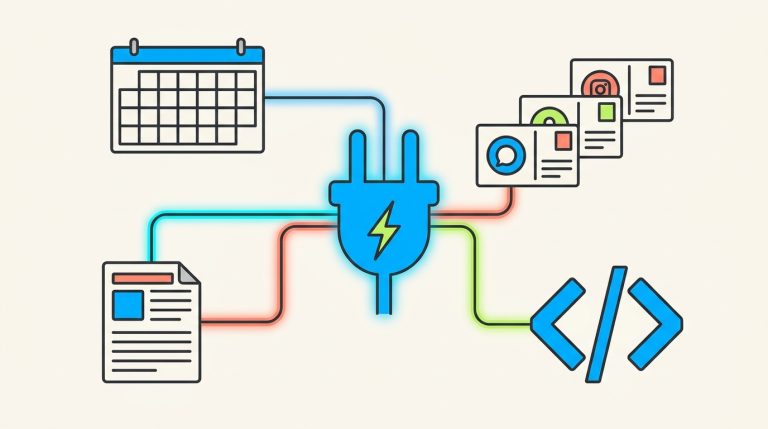
Coding Sessions is a feature that connects AI coding work directly to Linear issues. According to the Linear changelog, “You can start a coding session by assigning an issue to Linear, or ask it to make a change in a chat, comment, or Slack thread. Each session is grounded in your workspace context, pulling in issue details, history, customer requests, discussions, and related work.”
In practical terms: rather than picking up an issue in Linear, opening your IDE, context-switching to your AI coding tool, and then separately logging what happened — the session starts from the issue itself. The AI has access to the issue description, prior discussion, linked customer requests, and related work at the moment it starts. The activity is tracked in Linear, not scattered across IDE history, chat logs, and commit messages.
What Changed vs. Before
Before Coding Sessions, using an AI coding tool alongside Linear meant managing two separate contexts. You tracked work in Linear: issues, status, comments, linked PRs. You did the AI-assisted coding in a separate environment — Cursor, Windsurf, a Copilot-integrated IDE — that knew nothing about the Linear issue beyond what you pasted into it. The link between “this is the Linear issue” and “this is the AI session working on it” was informal, maintained by the developer’s own workflow: a link in a commit message, a status update after the fact, a comment noting what was done.
Coding Sessions collapses that gap. The session starts with the Linear context already loaded. Activity is tracked where the work was planned, not just where the code was written. For teams that already use Linear as their primary coordination layer, this is a meaningful shift in how AI coding work is visible to the rest of the team.
What This Means in Practice for Teams Using Cursor, Windsurf, or Similar Tools
If your team already uses a vibe coding workflow — where an AI agent takes a task and runs with it across files — the primary benefit of Coding Sessions is traceability, not capability. The AI coding work you were doing anyway can now be initiated and tracked from the issue, rather than being a side process that you reconcile back into Linear afterward.
For small teams where the person filing the issue and the person doing the work are often the same person, the benefit is lighter: you get a tighter loop between the issue and the code session, but you were already holding both in your head. The bigger benefit is for slightly larger teams (4–10 people) where visibility into what is being worked on and how it is progressing matters across roles — between a founder and a developer, or between a product manager and engineering.
One important distinction: Linear’s Coding Sessions appear to be a first-party integration that runs through Linear’s own AI infrastructure, not a hook into whichever AI coding tool you are already using. If your team has built a workflow around AI coding agents like Cursor’s agent mode or Windsurf Cascade, Coding Sessions does not replace that — it adds a project-management layer around it. The practical question is whether you will run sessions from Linear directly, or whether you will continue using your existing coding tool and simply link activity back to Linear via commit references or manual updates.
Who Will Find This Immediately Useful and Who Should Wait
Immediately useful: Small teams where Linear is already the primary source of truth for work. If your team reviews issues, plans sprints, and tracks progress in Linear, and if AI-assisted coding is now a regular part of how that work gets done, Coding Sessions gives you a native way to connect those two things without workflow gymnastics. It is also useful if you want teammates or stakeholders to see AI coding activity in the place where they already track work, without asking developers to log it separately.
Wait and see: Solo developers who do not have a “team needs visibility” problem. If you are a solo builder using Linear as a personal issue tracker, Coding Sessions adds complexity without much benefit — your existing IDE-based workflow is already plenty. Also wait if you have invested significantly in a specific AI coding tool’s agent ecosystem; it is not yet clear how deeply Coding Sessions integrates with third-party tools versus running as a standalone Linear-native feature.
Not relevant yet: Teams not using Linear. This is a Linear-specific feature with no current equivalent announced for Jira, Asana, or other project management tools.
Caveats: What Is Not Clear Yet
The Linear changelog describes what Coding Sessions does at a high level, but several practical questions are not answered in the public announcement:
- Which AI models power the sessions? Linear has not specified publicly whether Coding Sessions uses a particular model provider (Anthropic, OpenAI, Google) or allows model selection. This matters for teams with data handling or compliance requirements around which AI providers receive their code.
- Scope of actions: The changelog indicates the session can make changes based on chat, comments, or Slack threads. What types of actions it can take — read-only analysis, suggesting edits, writing code to a branch, opening a PR — is not fully detailed in the announcement. The boundaries of what Linear’s AI can and cannot do in the codebase are worth verifying before relying on it for anything production-critical.
- Pricing implications: It is not confirmed whether Coding Sessions is included on all Linear plans or limited to specific tiers. Linear’s pricing is not reproduced here; check linear.app/pricing for current plan details.
- GitHub/GitLab integration depth: How tightly Coding Sessions connects to your repository — whether it works on branches, opens PRs, or only suggests changes — is unclear from the announcement alone.
These are not reasons to dismiss the feature. They are reasons to treat it as an early-stage integration worth monitoring rather than a core workflow component to build around immediately.
Who Should Use This / Who Can Skip It
Use Coding Sessions if: your team coordinates in Linear, AI-assisted coding is already part of your workflow, and you want session activity visible in the same place where you plan and track work. It is especially relevant if you manage a small team and want lightweight traceability without adding another tool or process.
Skip it for now if: you are a solo developer, your team does not use Linear, or you have already built a workflow around a specific AI coding tool that works well. Adding a new integration layer for marginal traceability benefit is not worth it unless you have a clear problem it solves.
Source: Linear Changelog, June 11, 2026. Feature details and availability should be verified against current Linear documentation, as specifics may have changed since the announcement.