How Microsoft Copilot Agents Could Change Workflows

By
Alexander Gran
Founder & Editor
Microsoft’s Build 2026 conference included significant Copilot and agent-related announcements. The useful question for small teams and knowledge workers is not whether agents represent the future of work. It is a more specific one: which recurring tasks can safely be handled, summarized, prepared, or routed by an AI system inside the tools teams already use?
The official Build 2026 materials at news.microsoft.com confirm Copilot and agent updates across Microsoft 365, Teams, and the broader Microsoft work graph. Specific feature names, availability dates, and licensing details should be verified directly from that source, as announcements at developer conferences frequently differ from general availability timelines.
The Practical Frame for Copilot Agents
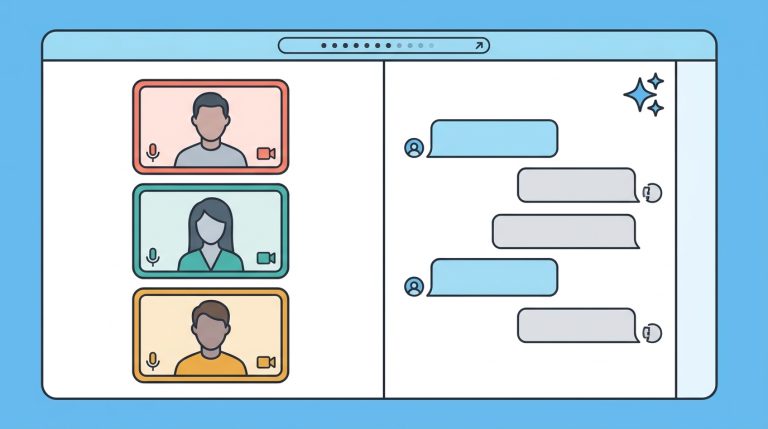
Microsoft’s direction positions Copilot agents as tools embedded in the work context — documents, meetings, messages, files, and business processes — rather than as standalone chatbots users visit separately. The practical shift this implies: rather than switching to an AI interface to get help, the AI is meant to be present inside the applications where work already happens.
For small teams, the categories of recurring work that fit this model reasonably well include:
- Preparing for meetings: summarizing document threads, flagging open questions, pulling in recent context from files or emails
- Summarizing long discussions: turning extended Teams threads or email chains into a short status update
- Drafting first-pass documents: turning bullet points, meeting notes, or prior drafts into a starting-point document for human review
- Finding internal information: searching across files, emails, and channels for a specific decision, approval, or specification without manual digging
- Creating follow-ups: turning meeting action items into tasks or draft messages addressed to the right people
These are the kinds of tasks where agent assistance is most credible. They have clear inputs, predictable output formats, and natural human review points before the output becomes consequential.
What Requires More Caution
Agent workflows that operate with limited human review — automatically sending communications, routing approvals, updating records, or making access decisions — require more careful evaluation before adoption. The risks are not hypothetical: automation at speed can amplify errors, send premature messages, or create data consistency problems that are harder to untangle than a manually caught mistake.
Before enabling any agent that takes actions rather than producing drafts, verify what the agent can and cannot do autonomously, what audit trail exists, and how it is reversed if something goes wrong. “Human in the loop” should be a real checkpoint, not a checkbox in a setup wizard.
Licensing and Availability Reality
Microsoft 365 Copilot is a paid add-on that requires a qualifying Microsoft 365 plan. Not all Copilot features are available at all plan levels. Agent capabilities may be tied to specific Microsoft 365 Copilot SKUs that smaller teams or budget-constrained organizations may not have purchased.
Before evaluating Build 2026 Copilot updates as actionable for your team, verify: which Microsoft 365 plan your team is on, whether that plan includes or has access to Copilot, and whether the specific announced features have a confirmed general availability date or are still in preview.
A Practical Evaluation Approach
- Review the official Build 2026 announcements at news.microsoft.com/build-2026 to identify which Copilot features are confirmed vs. in preview
- Identify one specific recurring task in your current workflow that fits the preparation, summarization, or drafting categories — not one that requires autonomous action
- Check whether your current Microsoft 365 plan gives access to that feature
- Test with real but non-sensitive content before using in production workflows
- Review the output before relying on it — for any workflow that matters, agent output is a starting point, not a finished product
Source: Microsoft — Build 2026 official announcements. Feature names, availability dates, plan requirements, and capability specifics should be verified directly from Microsoft’s official Build 2026 materials and Microsoft 365 Copilot documentation. Preview features are not production-ready. This article reflects general interpretation of announced direction and does not constitute an endorsement of any specific Copilot feature for any specific team.
See also: Cursor vs Windsurf and Best AI Coding Agents for Small Teams.