Figma Make Custom Skills: A Practical Workflow Change for Prototypers

By
Alexander Gran
Founder & Editor
Figma Make Custom Skills: A Practical Workflow Change for Prototypers
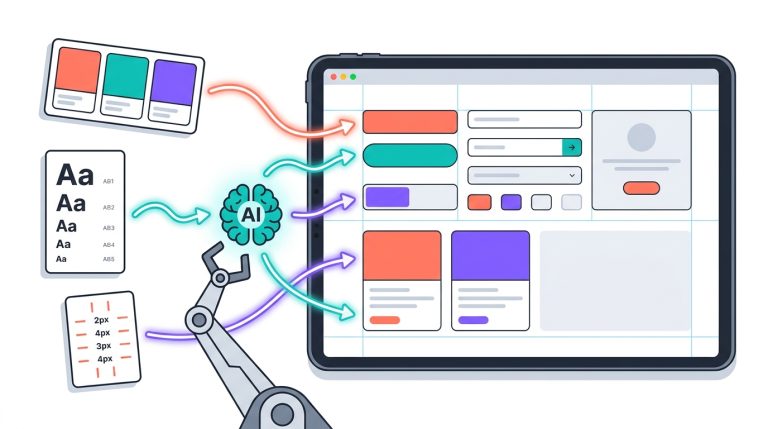
On May 11, 2026, Figma added custom skills to Figma Make. Skills are markdown files that encode the conventions and workflows a user wants to reuse across Make sessions. Once created or imported, a skill is invoked with a slash command inside any prompt.
What Changed
Figma Make now supports custom skills. According to Figma’s release notes, skills are markdown files that outline the conventions and workflows users repeat, so prototypes match their standards with fewer prompts. Users can import an existing skill or create one directly in Make, then call it using a slash command in any prompt.
Figma’s release notes include two examples of how skills can be applied. The first is /insert-sample-data, which can bring in company-approved test data. The second is /build-from-prd, which can be paired with a Notion or Confluence connector to turn any product requirements document into a prototype that meets a team’s standards.
One current limitation, noted in the release entry: each person creates and manages their own skills. Figma says team and organization-wide sharing is coming, but it is not yet available.
Why It Matters
The practical implication is straightforward: instead of rewriting the same instructions each time a session starts, users define a skill once and recall it with a slash command. For workflows where context, conventions, or generation rules repeat—applying consistent interaction patterns, enforcing data standards, working from recurring document types—this reduces the prompting overhead session by session.
The second example from Figma’s release notes is also notable: combining a skill with a connector (Notion or Confluence) to go from a requirements document to a prototype. This points to a workflow where inputs to Make sessions can be standardized rather than recomposed each time.
Who Should Care
People who actively use Figma Make to generate prototypes, interfaces, or app flows from prompts—particularly those who repeat the same setup instructions, data conventions, or structural preferences across sessions. Solo builders and small product teams with recurring use patterns are the most direct beneficiaries.
Teams already using Notion or Confluence as the source for product specifications may find the PRD-to-prototype workflow example specifically relevant, given that the connector integration is explicitly mentioned in the release entry.
Who Can Ignore It
- Teams that use Figma only for static design files, design review, or developer handoff—custom skills apply only to Figma Make workflows.
- Teams that do not use Figma Make, or that use it only occasionally without recurring prompt patterns.
- Organizations that need team-wide or organization-wide skill sharing before adopting—that capability is not available yet, only individual skill management.
Workflow Implication
The basic shift is from a blank prompt each session to a slash-command shortcut for recurring instructions. Users who currently copy and paste the same prompt conventions—interaction preferences, naming rules, data formats—could instead encode those into a skill file once and call it when needed.
The Notion and Confluence connector example in the release notes suggests a more integrated workflow: define the generation logic in a skill, connect a requirements source, and let Make execute the same structured process each time a new PRD is ready. This kind of repeatable setup is where skills appear most useful, rather than one-off exploratory prototypes.
How reliably this works in practice, whether skills require maintenance as conventions change, and what formats or structures the markdown files support are not detailed in the release entry.
Risks and Limitations
- Individual management only: Figma’s release notes state explicitly that each person currently creates and manages their own skills. Team or organization sharing is described as coming, but no date is given.
- Skill maintenance: Skills encode conventions as they exist at creation time. If product standards, data formats, or generation patterns change, skills may produce outdated or inconsistent results unless updated. The release entry does not address version control or skill governance.
- Format details not specified: The release notes describe skills as markdown files but do not detail what fields, structure, or syntax are supported. Teams should review Figma’s documentation before building complex skills.
- No admin controls described: The release entry does not address whether workspace admins can review, restrict, or audit skill usage. Teams with governance requirements should verify current admin capabilities in Figma’s documentation.
- Connector dependency: The PRD-to-prototype example depends on a Notion or Confluence connector. The release entry does not specify connector availability, configuration requirements, or whether other document sources are supported.
Teams considering custom skills for shared workflows should treat the current individual-only limitation as a significant constraint until team sharing is available. Using personal skills for processes that others depend on creates a single point of failure if the skill owner changes roles or settings.
Source: This article is based on Figma’s release notes for Custom skills in Make, published May 11, 2026, at figma.com/release-notes. Capabilities described are based on Figma’s stated release details, not independently tested or verified by WorkTechJournal.
See also: Best No-Code AI App Builders for Non-Developers and How to Build an AI Tool Landing Page That Converts.