Bolt.new Shows Why Vibe-Coded Prototypes Need a Design System

By
Alexander Gran
Founder & Editor
Updated: July 2026. This article covers Bolt.new’s Design System Agents release, based on official Bolt Blog and Bolt Help Center documentation as of May 2026. Feature availability and plan requirements may have changed — verify at bolt.new before committing.
Vibe-coded prototypes have a reputation problem. Not because they look bad — they often look impressive — but because they rarely look like anything engineering can ship. The buttons are wrong, the colors are approximate, the component names are invented, and the auth flow is fictional. Bolt.new’s Design System Agents, announced on May 5, 2026, are a direct attempt to fix that handoff problem: making AI-generated prototypes that use the same code standards and design components engineering teams already use.
What Bolt.new Is Changing with Design System Agents
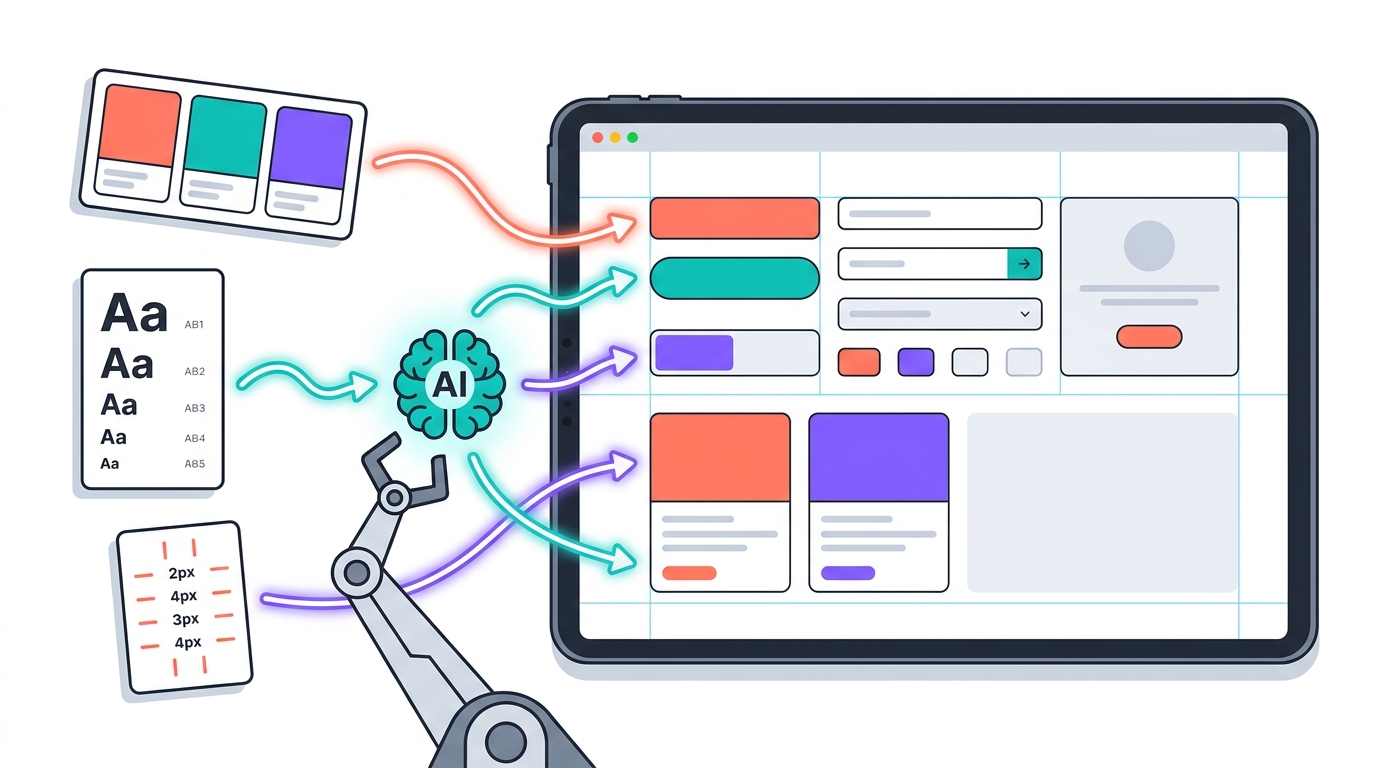
A design system in Bolt’s context is not just a style guide — it is a set of instructions that tells Bolt’s AI which components, tokens, and code patterns to use when building. Teams add their design system by pointing Bolt at actual sources: npm packages, Storybook instances, GitHub repositories, PDFs, component specs, or brand guidelines. According to Bolt’s Help Center, “source quality directly affects your results” — GitHub repositories and npm packages tend to produce better results than documentation websites alone, because code gives Bolt real components rather than just visual descriptions.
Once the design system is processed — which Bolt says takes 45–60 minutes on first setup — Bolt generates UI code from actual approved components rather than generic placeholders. The practical claim is that what comes out of Bolt should use the same buttons, forms, colors, typography, and spacing engineering teams already maintain, not invented elements that need to be replaced before any code reaches production.
Why This Is Not Just Another Vibe Coding Feature
The problem Bolt is addressing is real. When AI app builders generate prototypes without knowledge of a company’s design system, the result is UI code that works visually but is essentially throw-away code for engineering. Engineers either rebuild it from scratch or spend days reverse-engineering what the prototype was trying to do and rebuilding it with correct components. Bolt refers to this overhead as the “translation tax.”
Design System Agents change the premise: instead of the prototype being a visual reference that engineering then re-implements, the prototype is built from the same code library. Whether that actually reduces handoff time depends on how well the design system was ingested, whether the sources were consistent, and how complex the application logic is.
One important caveat: this feature is only available on paid Team plans. Free and personal accounts cannot access it. Team admins set up the design system once and it becomes available across team projects.
Concrete Scenario: When This Helps and When It Does Not
A three-person product team building a B2B SaaS product has a React component library on GitHub and a Storybook hosted on their design system site. They add both as design sources in Bolt. When a product manager prompts Bolt to build a new user settings page, Bolt uses the team’s actual PrimaryButton, FormField, and Card components — not invented ones. The result is a prototype an engineer can review without having to mentally translate what the PM was trying to show into actual component names.
That is genuinely useful. But it is not the same as shipping. The prototype still reflects Bolt’s assumptions about data structure, API endpoints, error handling, and authentication. If the team’s backend is Django and the existing auth system uses session tokens in a specific way, Bolt does not know that. Engineers can review the UI layer without the translation tax — but product correctness, data modeling, and integration still require engineering judgment before anything goes to production.
Bolt’s Help Center also flags a source consistency issue worth noting: if design system sources are outdated — for example, including deprecated components or mixing React and Angular documentation — Bolt can produce inconsistent or incorrect output. Agent instructions can help exclude deprecated components and specify the correct framework when sources are mixed.
Why Teams Controls, Connectors, and Bolt Cloud Matter
The Design System Agents launch is part of a broader update. Bolt for Teams now includes security scans that flag vulnerabilities with a one-click fix option, admin-level deploy controls that set a default deployment provider across all team projects, and the ability to connect existing Supabase databases. These controls matter for teams using Bolt on real products: admin deploy defaults reduce the risk of a team member deploying to the wrong environment, and security scans surface issues earlier in the process.
Connectors let Bolt pull context from Notion pages, Linear issues, GitHub repos, Miro boards, Jira tickets, Sentry, Context7, and Granola. They use MCP (Model Context Protocol), meaning any tool with a remote MCP server can connect without custom development. Bolt’s performance note is worth taking seriously: running multiple Connectors simultaneously slows things down and increases context Bolt has to process. Enabling only what a given project actually needs is the recommended approach.
Bolt Cloud provides hosting, domains, database, authentication, file storage, edge functions, analytics, and Stripe payments as integrated infrastructure, per Bolt’s Help Center — no separate third-party accounts required.
Why a Prototype Engineers Can Review Is Not Production-Ready
Design System Agents improve the UI layer of a prototype — visual and component consistency. They do not fix the underlying product assumptions: the data model Bolt assumes, the business logic Bolt invented, the deployment configuration Bolt defaulted to, or the authentication approach Bolt guessed at.
A prototype engineers can review is a better starting point, not a finished product. The reduction in translation tax is real if the design system was set up correctly and the prototype scope was limited to UI. The moment the prototype includes real database queries, multi-step auth flows, payment processing, or complex state management, engineering review is not optional — it is the work.
Risks and What Teams Should Watch
- Stale design systems: If Bolt’s ingested design system is out of date, it uses wrong component versions. Teams need to sync when the real design system changes.
- Source inconsistency: Mixing React and Angular sources, or including deprecated components without agent instructions to exclude them, produces unpredictable output.
- Scope creep on prototypes: The more realistic the prototype looks, the more tempting it is to treat it as production-ready. Security scans flag some issues, but they do not replace engineering review of business logic and integration correctness.
- Connector access risk: Connectors with write access to Notion, Jira, or Linear can create and edit content. Teams should disable actions they do not need rather than accepting all defaults.
- Plan availability: Design System Agents require a paid Team plan. Verify which tier includes specific features before budgeting.
Bottom Line
Bolt’s Design System Agents address a real gap in the AI-assisted product workflow: the mismatch between what an AI builder produces and what an engineering team actually maintains. For teams with a well-maintained design system, this reduces the UI translation work at handoff. For teams with messy or outdated design system sources, it may not help much. And for any team treating a Bolt prototype as production software without engineering review of the application logic, it is still a fast route to technical debt — it just looks better while creating it.
Sources: Bolt Blog and Bolt Help Center, 2025–2026.