How to Turn Customer Requests Into Code With Codex: The Braintrust Pattern

By
Alexander Gran
Founder & Editor
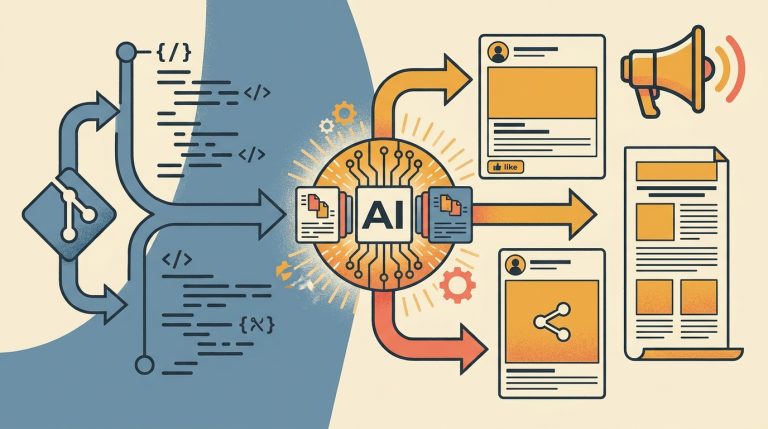
Braintrust, an AI-powered talent platform, published a case study with OpenAI describing how they use Codex to turn customer support requests into code changes and product improvements. The workflow: support requests flow into a triage pipeline, Codex helps generate candidate code, engineers review and merge. The outcome Braintrust reports is faster issue resolution with fewer manual engineering steps in the triage-to-code handoff.
The interesting part for small teams is not the specific numbers Braintrust claims — those reflect their infrastructure, team size, and codebase maturity — but the underlying workflow pattern: using an AI coding agent to bridge the gap between customer-reported problems and code changes, with human review at the decision points.
This article breaks down the practical elements of that pattern and what small engineering teams should verify before attempting something similar.
What the Braintrust workflow actually describes
Based on the OpenAI case study, Braintrust’s Codex use is in a triage and code-generation role, not a fully autonomous deployment role. The key elements:
- Customer requests come in through existing support channels
- A pipeline classifies and routes them to relevant engineering context
- Codex generates candidate code changes or investigates the relevant codebase sections
- Engineers review Codex’s output and decide what to merge
The human stays in the loop at the decision and merge stage. Codex is handling the tedious middle step: reading context, finding relevant code, and generating candidate solutions that engineers would otherwise have to draft from scratch.
The pattern worth adapting for small teams
The core workflow is: structured input → AI-assisted code generation → human review → merge. This pattern applies to small teams regardless of Braintrust’s specific infrastructure, with some realistic constraints.
Where this pattern makes sense for small engineering teams:
- Bug triage from support tickets. When support reports a bug, Codex can be given the ticket text and relevant codebase context to generate a candidate fix or at minimum a diagnosis. The engineer reviews instead of starting from zero.
- Feature request prototyping. A customer or internal stakeholder describes a small feature change. Codex generates a first draft implementation for an engineer to evaluate, modify, and test.
- Codebase search and explanation. Before writing a fix, Codex can answer “which parts of the codebase handle this?” — reducing investigation time for engineers unfamiliar with a section.
What to verify before building this workflow
The Braintrust case study describes a specific production implementation. Small teams building a similar workflow should verify several things that are not detailed in the published case study:
Code quality and review requirements. Codex output requires engineering review before merge. The quality varies by codebase complexity, test coverage, and how well the prompt context matches the actual problem. Do not assume the candidate code is correct — treat it as a first draft that needs the same scrutiny as a junior engineer’s PR.
Security posture of the input pipeline. If customer request text flows into a Codex prompt, understand what data is being sent to the OpenAI API and whether that is acceptable given your data handling policies and any customer data included in support tickets.
Context window limits. Codex works better with focused, relevant context than with an entire codebase. The workflow needs a retrieval or chunking step that gives Codex the right code sections, not everything.
Cost at your volume. The OpenAI API charges per token. At Braintrust’s scale, the economics may differ significantly from a small team running 20 support-to-code cycles per week versus 2,000. Model the cost against your actual volume before building.
A minimal version for small teams
A lightweight version that captures the core value without building Braintrust-scale infrastructure:
- When a support ticket identifies a code issue, copy the relevant ticket text and the specific file or function in question
- Prompt Codex (via the OpenAI API or Codex in a supported IDE) with the bug description and the relevant code context
- Review the generated diagnosis or candidate fix
- If the output looks plausible, test it locally before merging
This is manual and not automated, but it tests whether the pattern delivers value in your codebase before you build infrastructure around it. If the Codex output saves meaningful engineering time consistently, the investment in automation makes sense.
The vendor outcome claim caveat: Braintrust’s published results reflect their specific context. Results for your team will depend on your codebase, your ticket volume, your review process, and how well your prompts match your actual workflow needs.