Best Apps for Drawing and Handwritten Notes in 2026

By
Alexander Gran
Founder & Editor
If you need to sketch diagrams, annotate PDFs, capture handwritten notes, or combine drawing with typed text, the app you pick matters more than you might expect. Free-tier limits, Apple Pencil support, sync reliability, and how well typed and drawn content mix together all vary significantly across tools.
This guide covers the practical differences between the leading apps for drawing and handwritten note-taking in 2026, based on what workflow each one actually fits.
What to decide before picking an app
The most common mistake is picking an app based on a demo rather than a workflow. Before comparing options, answer three questions:
- Do you need handwriting recognition, or is the goal to keep handwritten notes as-is?
- Are you primarily on iPad with Apple Pencil, or do you need to work across devices?
- Is collaboration or sharing a requirement, or is this a personal capture tool?
Your answers will eliminate most options immediately.
GoodNotes 6
GoodNotes remains the most polished handwriting app for iPad. Apple Pencil input feels natural, handwriting recognition is accurate, and the notebook-style interface makes organizing notes easy. PDF annotation works well: you can import a document, write over it with your stylus, and export the marked-up version cleanly.
The limitation is that GoodNotes is iPad-centric. The desktop app exists but is secondary. If your workflow involves switching between devices frequently, or if other team members aren’t on Apple devices, GoodNotes creates friction. It also does not mix handwritten and typed content fluidly — it treats them as separate modes.
Best for: iPad-primary users who want a reliable, polished handwriting and annotation tool.
Notability
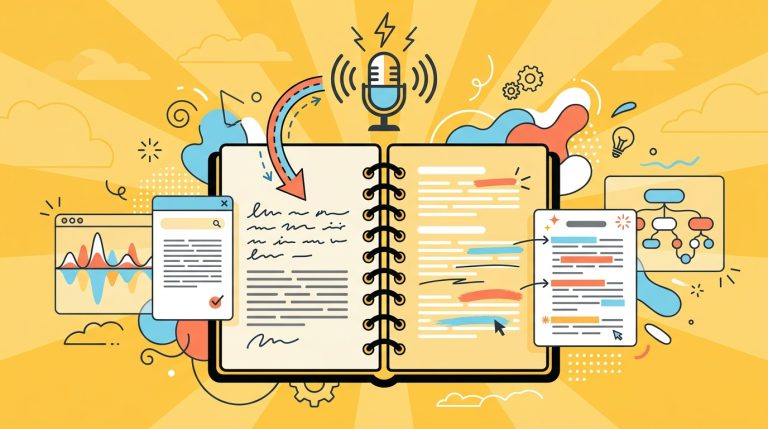
Notability is GoodNotes’ closest competitor. The differentiation is audio recording: Notability can sync your voice recording to what you write, so you can tap any handwritten word and hear what was being said when you wrote it. This makes it particularly useful for lecture notes, meeting notes with complex diagrams, or any session where you want to capture context, not just content.
Notability moved to a subscription model. If you’re buying for a team, price the subscription against what you’d pay for GoodNotes once.
Best for: Meeting notes where audio context matters; students; anyone annotating technical content.
Apple Notes
Apple Notes is underrated for teams already deep in the Apple ecosystem. The handwriting and drawing tools are functional, Quick Note (available from the lock screen on iPad) makes capture fast, and iCloud sync is reliable. Collaboration works across Apple accounts with no additional cost.
The obvious limitation: Apple Notes is Apple-only. If anyone on your team uses Windows or Android, they’re excluded. There’s also no web app. For personal notes within an Apple household or single-device workflows, it’s hard to beat on simplicity and reliability.
Best for: Apple-only personal workflows; quick capture; light sketch annotation.
OneNote
OneNote is the cross-platform option. It runs on Windows, Mac, iPad, Android, and browser, syncs reliably across all of them, and is free with a Microsoft account. The notebook-section-page hierarchy works well for organized note libraries. Handwriting tools are functional and Apple Pencil support is solid.
Where OneNote loses to GoodNotes and Notability is feel. The drawing experience is noticeably less polished — there’s more lag, and the palm rejection is inconsistent compared to dedicated handwriting apps. For light annotation and cross-platform access, it’s excellent. For heavy handwriting workflows, it shows its limits.
Best for: Teams already in Microsoft 365; cross-platform handwriting without extra cost.
Obsidian
Obsidian is not a drawing app, but it’s worth including for a specific reader: knowledge workers who want to link handwritten content into a larger PKM system. With the Excalidraw plugin, you can embed sketches and diagrams inside Obsidian notes, connecting visual content to the same graph of linked notes as your written ideas.
Setup requires more technical comfort than the other tools on this list. But if you’re already using Obsidian for writing and want drawing to be part of the same system rather than a separate app, it works.
Best for: PKM users who want drawing embedded in a linked note system.
AFFiNE
AFFiNE takes a different approach: it combines document mode (for writing) and an infinite canvas (Edgeless mode) in one app, so you can write blocks of text, embed databases, and draw or sketch — all on the same surface. It’s open source and available as a desktop app or self-hosted server.
AFFiNE is strongest for teams that want to plan and document in the same space — combining meeting notes, a visual workflow map, and a task list without jumping between apps. Mobile support is more limited than iPad-first tools, and the handwriting input is less refined than GoodNotes or Notability for heavy pen work.
Best for: Teams wanting docs and visual planning in one open-source workspace.
Milanote
Milanote is a canvas-based tool for visual thinkers. You can drag images, text cards, links, and sketches onto boards and arrange them spatially. It’s widely used by designers, brand teams, and creative directors who work visually — building mood boards, mapping project structures, and collecting reference material in one organized space.
Milanote is not a handwriting app. Drawing tools exist but are basic. The value is spatial organization of mixed media, not pen input. The free plan limits the number of cards you can save.
Best for: Visual project planning; creative teams organizing reference and ideas spatially.
The practical decision
For handwriting and drawing specifically: GoodNotes or Notability if you’re on iPad with Apple Pencil. OneNote if you need cross-platform without extra cost. Apple Notes if you’re Apple-only and want zero friction. Obsidian with Excalidraw if drawing needs to connect to a larger note system. AFFiNE if you want docs and visual canvas combined in one open-source tool. Milanote if the work is creative direction and spatial organization rather than handwritten notes.
There’s no single best app here — the right pick depends almost entirely on which device you’re on and what type of work the drawing supports.