Figma Make Kits Show Why Prompt-to-App Tools Need Product Context

By
Alexander Gran
Founder & Editor
Updated: July 2026. This article covers Figma Make kits and attachments announced April 2, 2026, based on official Figma Blog, Figma Help Center, and Figma Release Notes. Feature availability and AI credit limits may have changed — verify at figma.com before planning workflows.
Figma Make started as a way to turn a prompt into an interactive prototype without leaving Figma. Make kits and Make attachments, announced on April 2, 2026, are the acknowledgment that generic AI output is only useful up to a point: the moment a team needs prototypes that follow their actual components, brand rules, and real content, a blank-slate prompt-to-app tool is not enough.
What Figma Changed with Make Kits and Attachments
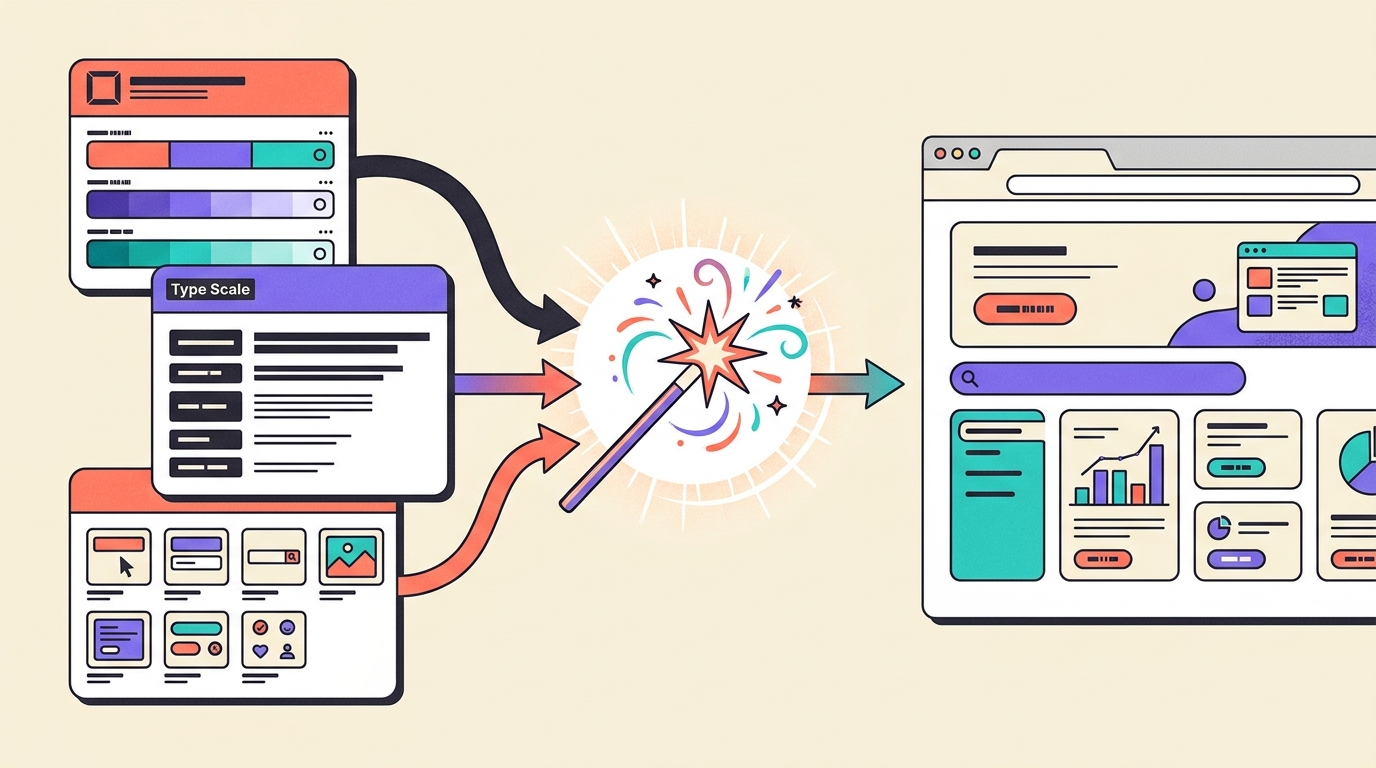
Make kits are reusable packages that design system authors can create once and share across a team. Each kit combines components or styles — sourced from Figma libraries or npm packages, including Figma’s secure private registry — with guidelines that teach Make not just what components exist, but how they should be used. The distinction matters: a list of components tells Make what to pick from; guidelines tell it when to use a primary button versus a secondary one, which card variant applies to which content type, and what spacing rules the team has established.
Make attachments let users add supporting context directly to a Make conversation: PDFs, Markdown files, CSV and JSON datasets, screenshots, brand guidelines, legal copy, and images. According to Figma’s April 2026 blog post, attachments ground prototypes in actual content and constraints rather than invented placeholders — surfacing layout edge cases and real data relationships earlier in the design process.
Why This Is Not Just Another Prompt-to-App Feature
When Figma Make launched in May 2025, it had no awareness of a team’s design system. It could generate functional prototypes, but those prototypes used whatever components and styles the AI inferred from a prompt. For teams with established design systems and strict brand guidelines, every Make prototype required manual cleanup before it was useful in a design review.
Make kits change the starting point. A prototype generated with the team’s Make kit uses real components from the codebase rather than approximations. That is a different kind of output: not polished for its own sake, but grounded in the product’s actual building blocks from the first prompt. Whether it reduces cleanup depends on how well the kit was built and maintained, but the direction is meaningful — the gap between AI output and team standards gets narrower when the AI has been given the right context. Bolt.new addressed the same gap in its own tool with Design System Agents for vibe-coded prototypes.
Concrete Scenario: When Context-Aware Prototypes Help and When They Mislead
A three-person product team is exploring a new pricing page variant. Their design system is published to a Figma library and their component code is on npm. A design system author builds a Make kit that includes the component library, typography tokens, and a PDF of brand usage guidelines. An attachment provides a CSV of their actual plan data.
Make generates a prototype using the team’s real PricingCard, Button, and Badge components — the correct sizes, colors, and interaction states. The product manager and designer can review something that looks and behaves like their actual product. That is a better exploration than a generic blue-and-white prototype with placeholder text.
But if the team then adds a backend — which Figma Make supports through Supabase — they should know what “backend” means in this context. Figma Help states that Make will not set up a full SQL database; it creates key-value stores inside a Postgres database. There is one Supabase organization per Figma organization, and access requires a Full seat on a paid plan. If the team’s actual pricing system runs on a relational schema with subscription states, trial periods, and billing history, the Make backend is a placeholder — a useful one for testing user flows, but not a stand-in for production data architecture.
Why Moving Make Previews Back to the Canvas Matters
Since September 2025, Figma Make previews can be copied to the Figma Design canvas as editable layers. This closes a workflow gap that existed when Make and Design were separate environments. Teams can refine a prototype in Make, then bring a snapshot into Design for annotation, handoff notes, and collaborative review — without exporting or recreating it manually.
One constraint worth knowing: changes made in Design do not sync back to Make. The flow is one-directional. If a designer iterates on the canvas version and wants to continue developing the prototype in Make, they are working with a diverged copy. For teams that switch between exploration in Make and refinement in Design, that means tracking which version reflects the current direction.
Why Backend, Code Editing, and Version History Do Not Make Prototypes Production-Ready
Figma Make lets users edit code directly, download projects as a zip file, or push to GitHub to create a repository. Version history is automatic — every build is tracked, earlier versions can be restored, and versions can be named. Figma’s release notes from April 30, 2026 also added voice-to-text for prompts, question cards that present structured options before Make moves forward, and a Zapier connector to 9,000-plus apps.
These are serious workflow tools, not toy features. But none of them close the gap between a well-made prototype and software the product team actually operates. The code Make generates is editable and exportable, but it has not been reviewed for accessibility, security, load handling, or compatibility with the team’s existing infrastructure. The backend stores data, but it is not the team’s production data model. The Zapier connector adds integrations, but they have not been tested against real edge cases or error states.
Figma AI — which powers Make — is available on paid plans with Full seats receiving broader access. AI credits are capped: Professional plans get around 50–70 Make prompts per month, Organization around 60–80, Enterprise around 80–100, per Figma’s July 2025 GA announcement.
Risks and What Teams Should Watch
- Make kits require upfront investment: Design system authors must build and maintain kits. A kit that hasn’t been updated after a component redesign will teach Make to use the wrong version.
- Guidelines need to be accurate: If the guidelines in a kit are incomplete or incorrect, Make follows them anyway. Wrong guidance produces consistent but wrong output.
- Backend is not full SQL: Figma Help is clear that Make provides key-value storage, not a full relational database. Teams should not plan data models around Make’s backend for production use.
- One-directional canvas sync: Copying Make previews to Design creates a snapshot, not a live connection. Changes in Design do not update the Make prototype.
- Credit limits apply: At 50–100 prompts per month on most paid plans, iterative design exploration has a real ceiling before Enterprise pricing becomes relevant.
- Attachments add context, not validation: Attaching a brand guidelines PDF helps Make understand style rules, but Make cannot verify whether the output actually meets brand standards — that judgment still requires a human reviewer.
Bottom Line
Make kits and attachments are Figma’s answer to a real problem: prompt-to-app tools generate prototypes that do not know anything about the product they are supposed to represent. By letting teams encode their design system, component patterns, brand rules, and real content into Make’s context, Figma is making prototypes more useful earlier — less cleanup, more relevant exploration. But a prototype that uses the right components and looks right still requires product judgment about what should actually exist, engineering review of what can actually be built, and explicit decisions about data, accessibility, security, and edge cases. Make kits reduce the gap between AI output and team standards. They do not close the gap between a prototype and a product.
Sources: Figma Blog, Figma Help Center, and Figma Release Notes, 2025–2026.