ClickUp Super Agents Push Project Management Toward AI Coworkers

By
Alexander Gran
Founder & Editor
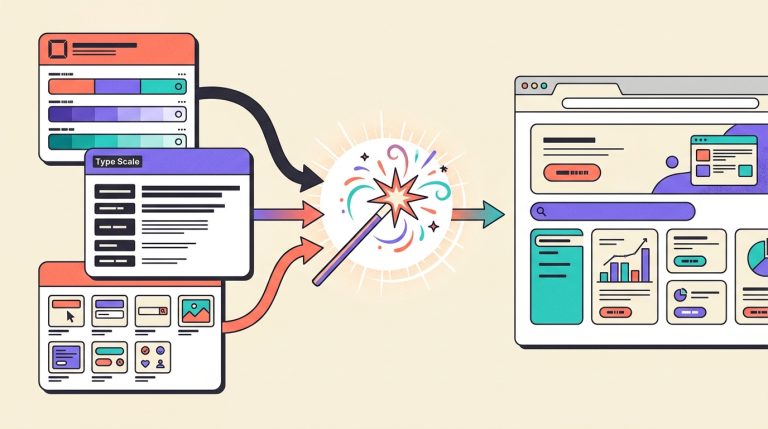
ClickUp announced Super Agents in December 2025, positioning them as AI agents built into the ClickUp workspace that can draft documents, update tasks, triage tickets, summarize meetings, monitor project risk, and coordinate multi-step workflows alongside human team members. The company describes Super Agents as operating within the same permissions and context as their human counterparts — meaning they see what the team sees and can act where they’re allowed to act. That’s a different architecture than an AI assistant running in a separate tab, and it’s worth understanding what it means in practice.
What ClickUp Announced
ClickUp’s Super Agents are AI agents built as first-class members of the ClickUp workspace. Key capabilities at launch:
- Context across the full workspace: ClickUp says Super Agents understand work context across tasks, Docs, Chat, meetings, schedules, and connected tools — not just individual items.
- Trigger and schedule-based operation: Agents can be triggered by events (a new task created, a form submitted, a question asked) or run on a schedule, operating 24/7 in the background without requiring a human to prompt each action.
- Three memory types: Recent context, user preferences, and long-term/episodic memory — allowing agents to build up knowledge of recurring workflows and team patterns over time.
- Super Agent Studio: A no-code builder for creating and customizing agents without engineering resources.
- Permission inheritance: Agents operate within the permissions of the user who creates or assigns them — they can’t access data or take actions beyond what that user is allowed to do.
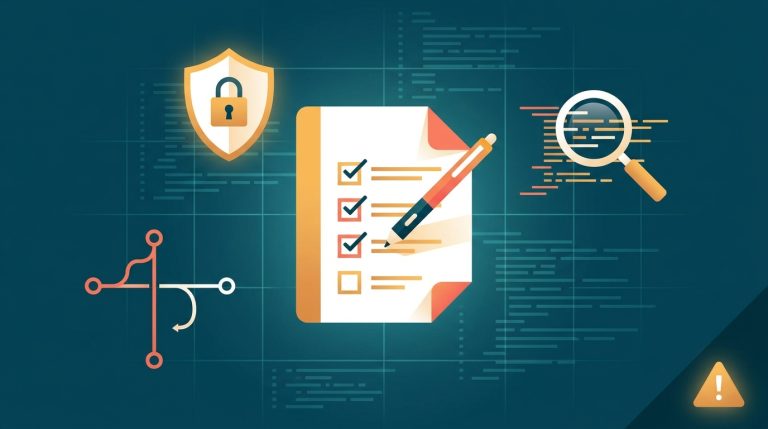
- Audit logs and human approval: Every agent action is logged. Agents are designed to seek human approval before critical decisions.
- Distinct from Autopilot Agents: ClickUp separates Super Agents from its Autopilot Agents — Autopilot Agents run on defined triggers and conditions, while Super Agents are designed for adaptive, multi-step reasoning with evolving memory. Both require the AI ClickApp to be activated in the workspace.
ClickUp says agents can be @mentioned in Docs, tasks, or Chat, or messaged directly, making them addressable in the same way a team member would be.
Why This Matters for Project Management
Project management tools have long been good at capturing plans — tasks, deadlines, assignments, and status fields. The persistent failure is execution: keeping those records accurate, moving work forward when something stalls, surfacing risk before it becomes a missed deadline.
ClickUp positions Super Agents as a response to this gap. An agent that monitors open tasks, detects patterns that signal delay, and sends a proactive alert is doing something a static project board cannot. An agent that drafts a project status update from current task data reduces a recurring manual task. An agent that triages incoming support tickets and drafts initial responses handles volume that would otherwise require headcount.
None of these are new ideas. The change is that ClickUp is building this capability directly into the work-management layer rather than requiring a separate automation tool or AI service to connect to it.
From Task Tracking to Agent-Assisted Execution
The use cases ClickUp describes across different team functions are revealing about where the leverage actually is:
Operations and project management: Automated status reporting, playbook enforcement, and risk monitoring. For teams that spend significant time on weekly status updates and chasing task owners for updates, agents that can produce those summaries from live task data have clear ROI.
Go-to-market and support: Ticket triage, drafting response templates, and CRM sync. These are high-volume, repetitive workflows where agent assistance can reduce response time and free up team members for more complex customer interactions.
Product and engineering: Feedback aggregation, release monitoring, and backlog maintenance. Keeping a backlog current and flagging items that need attention is exactly the kind of ongoing maintenance work that tends to slip in fast-moving teams.
Leadership: Business pulse summaries and pattern identification — aggregating signals across projects to surface what needs attention without requiring manual review of every open task.
The common thread: agents are most useful where the work is repetitive, the data is structured, and the action is low-stakes enough to be reviewed after the fact.
Why Permissions, Logs, and Human Approval Matter
Permission inheritance is the architectural decision that determines how much this can be trusted. ClickUp says Super Agents inherit the permissions of the user who configures them — they can’t see or touch anything that user isn’t authorized to see or touch. That’s the right model in principle, but it means the quality of ClickUp’s permission structure in a given workspace determines the actual security boundary.
Teams with clean, role-based permissions across projects will get agents that are appropriately scoped. Teams where most members have broad access to most projects will get agents with correspondingly broad reach. Before deploying Super Agents, it’s worth auditing whether the workspace permissions actually reflect what each team member should be able to see and change.
The audit log requirement is equally important. Every agent action being logged means there’s a reviewable record of what the agent did and when. That’s the foundation for catching errors, investigating unexpected outcomes, and building trust in agent behavior over time. Teams should treat the audit log as a tool they actively use, not just a compliance feature running in the background.
Human approval for critical decisions is the right design principle. What counts as “critical” needs to be defined per team — sending an external email, modifying a client record, closing a ticket, or updating financial data all qualify. The default should be: if the action can’t easily be undone, a human should confirm it first.
Risks, Limits, and What Small Teams Should Watch
Workspace data quality matters more than the AI. Agents operating on a ClickUp workspace with inconsistent task descriptions, stale status fields, and unclear ownership will produce outputs that reflect that mess. Super Agents amplify the quality of the underlying data — in both directions. Teams should invest in workspace hygiene before deploying agents that act on that data.
Notification noise is a real risk. Agents that run on schedules and triggers and send notifications can quickly become a source of alert fatigue if not configured carefully. Define specific, high-value trigger conditions rather than broad “notify on everything” rules from day one.
Long-term memory requires governance. Agents that accumulate episodic memory over time — learning team patterns and preferences — are more useful but also harder to audit. Teams should understand what an agent is remembering and have a process for reviewing and correcting that memory if it drifts from accurate.
Over-automation risk. Agents that can draft, update, triage, and notify create the conditions for automation sprawl: many agents running on many triggers, with unclear ownership of which agent is responsible for which outcome. Define agent scope narrowly and assign clear human owners before expanding.
Feature availability and limits vary by plan and role. Super Agents require the AI ClickApp to be activated in the workspace; Chat-based interaction with agents also requires the Chat ClickApp. AI features run on a trial basis across all plans, with Super Agents consuming AI Super Credits. Free Forever plan users cannot purchase AI — a paid plan upgrade is required. Teams should verify their plan’s credit limits before building Super Agent workflows at scale.
Related Guides
- Best AI Tools for Work in 2026
- Best Project Management Tools for Small Teams
- Best Workflow Automation Tools for Small Teams
- Best AI Meeting Assistants for Remote Teams
Bottom Line
ClickUp Super Agents represent a serious push to turn a work-management platform into an execution environment where AI can act on shared project context. The design — permission inheritance, audit logs, human approval for critical decisions, and three-tier memory — is architecturally sound. The value will depend on workspace data quality, disciplined permission structure, and teams treating agent governance as an ongoing practice, not a setup-once configuration. For teams already living in ClickUp with well-maintained workspaces, Super Agents are worth a careful pilot on a single high-value use case. For teams with messy data or unclear processes, the agents will surface those problems before they help solve them.
Sources: ClickUp Blog and ClickUp Help Center, December 2025–2026.